Change Calendar setup
A knowledge base article about Change Calendar setup provided by the UC Berkeley IT Service Hub - Knowledge Portal
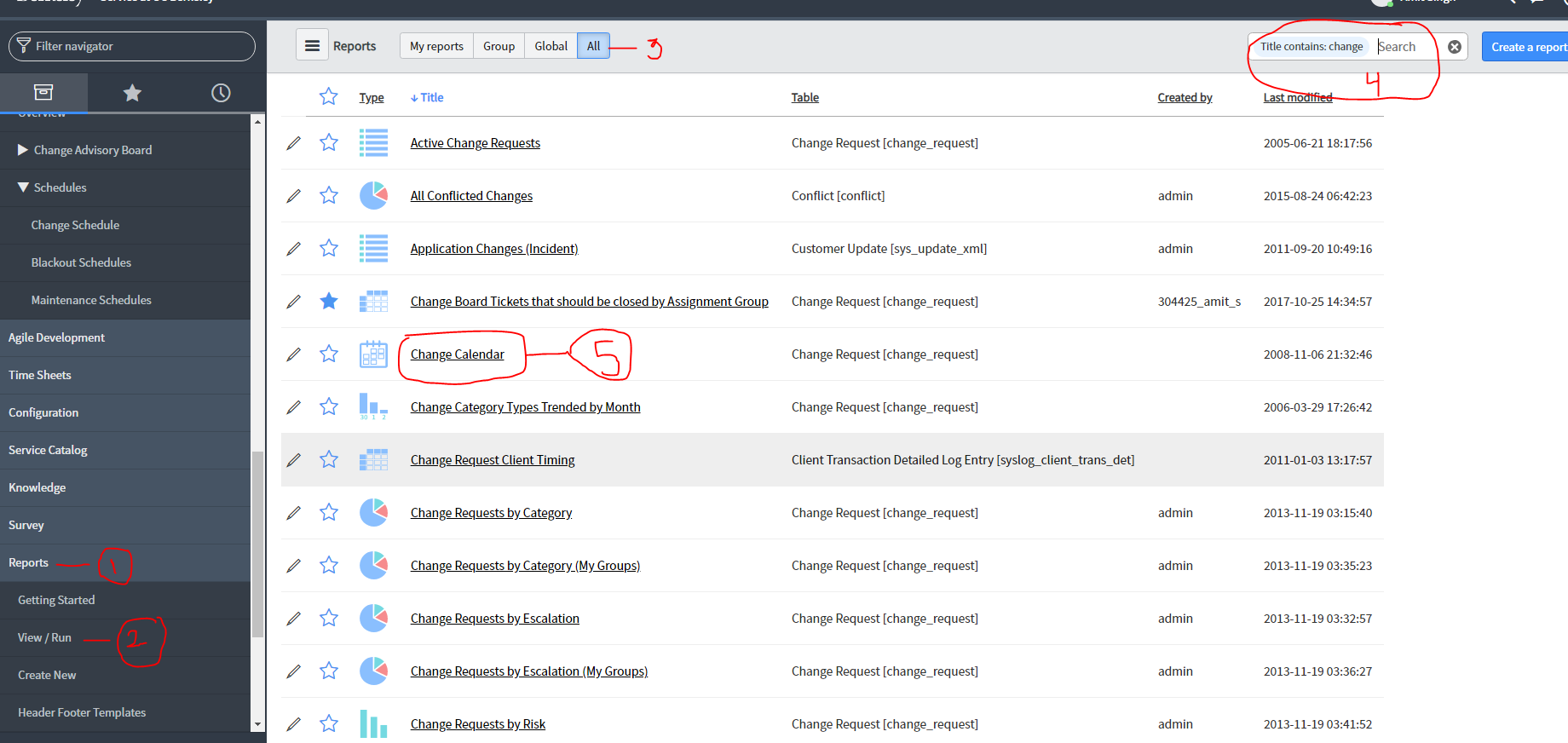
- Select the "Reports" tab on the left hand column.
- Select "View / Run".
- Select "All" reports at top left part of screen.
- Search for "Change Calendar".
- Select the report and explore.
- If you find it to be useful, select the pull down menu right next to the "Run" button and select "Add to Dashboard". Then place in a location where you can quickly access it in the future.